Inbox Reborn manual
Inbox Reborn is a browser extension that brings the look and the habits of Google's discontinued Inbox back to Gmail: a calm list grouped by date, bundles that collapse your newsletters, receipts and notifications into single rows, Pin and Snooze and Done on every email, a left menu split into Bundled in the inbox and Unbundled, and a dark mode that works with any Gmail theme.
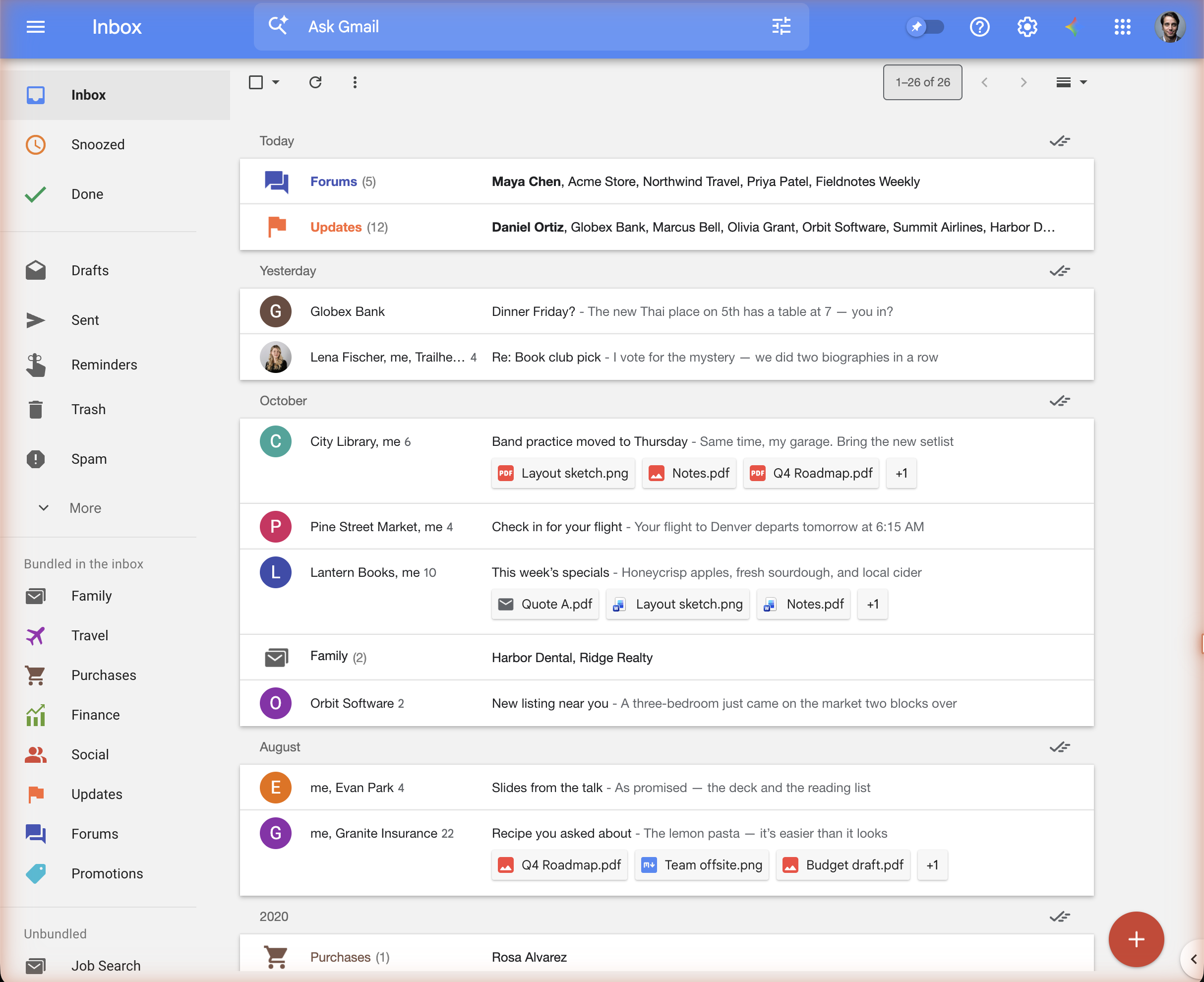
It is a layer on top of Gmail. Your mail stays in Gmail, Gmail's own features keep working, and if you turn the extension off, Gmail is exactly as you left it.
Install
- Chrome, Edge, Brave and other Chromium browsers: Chrome Web Store
- Firefox: Firefox Add-ons
After installing, reload Gmail. New installs start with Stock Inbox on, which sets everything the way Inbox had it. See Getting started for the two Gmail settings worth changing on day one.
What's in this manual
| Page | Read it when you want to… |
|---|---|
| Getting started | install, pick the recommended Gmail settings, and know what happens to your mail on the first day |
| The inbox | learn the date groups, the hover actions, Sweep, the Pinned switch, reminders and dark mode |
| How bundles work | understand what a bundle is, how an email picks its bundle, how a Cruise label joins Travel, and why starred mail stays out |
| Bundled in the inbox and Unbundled | drag labels and categories between the two sections, and know exactly what moves when you do |
| Gmail's categories | find out why new mail lands in Updates or Forums, and how to teach Gmail otherwise |
| Rules and custom bundles | build your own bundles with labels and filters, Inbox's "rules" |
| Speed dial | write to your most recent contacts in one click |
| Settings | look up every switch in the extension's popup |
| Privacy | see what leaves your browser (very little) and what never does |
| Troubleshooting | fix a bundle that won't form, a category that won't bundle, or a move that stopped |
A one-minute tour
- Date groups. Today, Yesterday, This week, then the months. Each heading has a ✓ on the right: Sweep, which marks the whole group done. Pinned emails stay.
- Bundles. Rows like Updates (12) or Receipts (3) are bundles. They list who wrote, and clicking one opens the mail inside. Hover a bundle for its own ✓.
- Hover an email for Inbox's actions: Pin, Snooze, Trash, Done, and ⋮ for the rest of Gmail's menu.
- The left menu. Inbox, Snoozed and Done at the top. Then Bundled in the inbox (Travel, Purchases, Finance, Social, Updates, Forums, Promotions, and the labels you've dragged up) and Unbundled (everything else). Drag a label between the two to change how its mail shows.
- The red compose button. Hover it for the speed dial: a reminder button and your three most recent contacts.
- The extension's icon in the browser toolbar opens the settings popup.
Installing the extension, and turning its switches on and off, changes only how Gmail is drawn. The one thing that moves mail is dragging a label or category between Bundled in the inbox and Unbundled, and a drag that brings mail into the inbox always asks first. See what moves when you drag.